RapVideo AI, Hands-On: How One or Two Photos Become a Lip-Synced Rap Video
In the Hotel Lobby AI rap trend, RapVideo AI is one of the tools that turned the whole pipeline into a single web form: upload photos, pick a stage, type a topic, and it generates lyrics, beat, vocals and lip sync together. This walkthrough covers the actual interface, the modes, how pricing works and what to check before you use it.
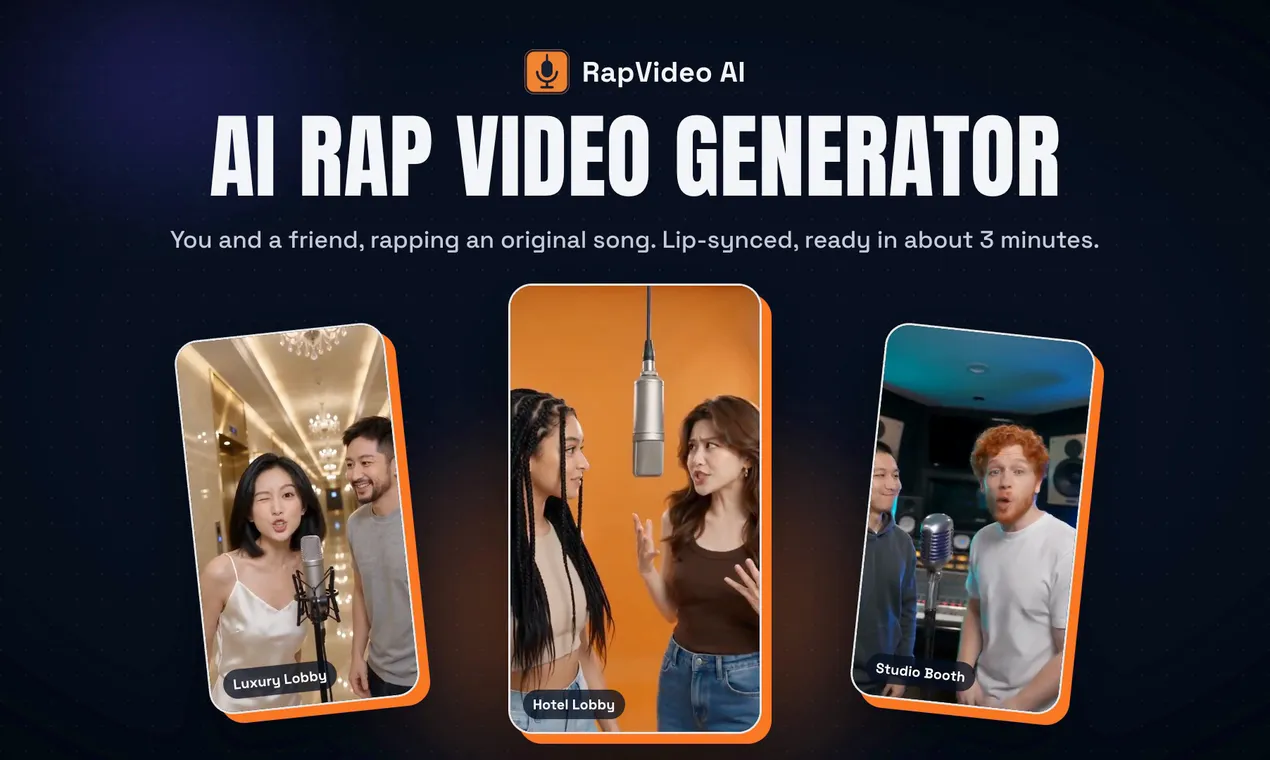
One kind of clip spread across short-video platforms this year: two people in front of an orange booth, a mic hanging from above, trading bars. People call it the Hotel Lobby style. If you wanted to join the trend, you either filmed it yourself or stitched AI tools together: write lyrics, generate a beat and vocals, find a video model that can lip-sync, then edit it all.
RapVideo AI compresses that pipeline into one web form. The input is one or two photos and a topic. The output is a vertical video of the people in those photos performing a song. Here is how it works, screen by screen.
1. What it actually generates
Each video contains four things, all produced by the tool:
- Lyrics: an original rap about the topic you type, such as a birthday, an inside joke or your business. You can also leave it blank.
- Beat: the instrumental.
- Vocals: the lyrics, performed.
- Picture: the people in your photos performing the song on the chosen stage, with mouths synced to the vocals.
That puts it in a different category from "animate my photo" tools, which only handle the picture and leave the music and words to you. RapVideo AI delivers a complete song plus a performance.
2. The workflow: three steps, no timeline
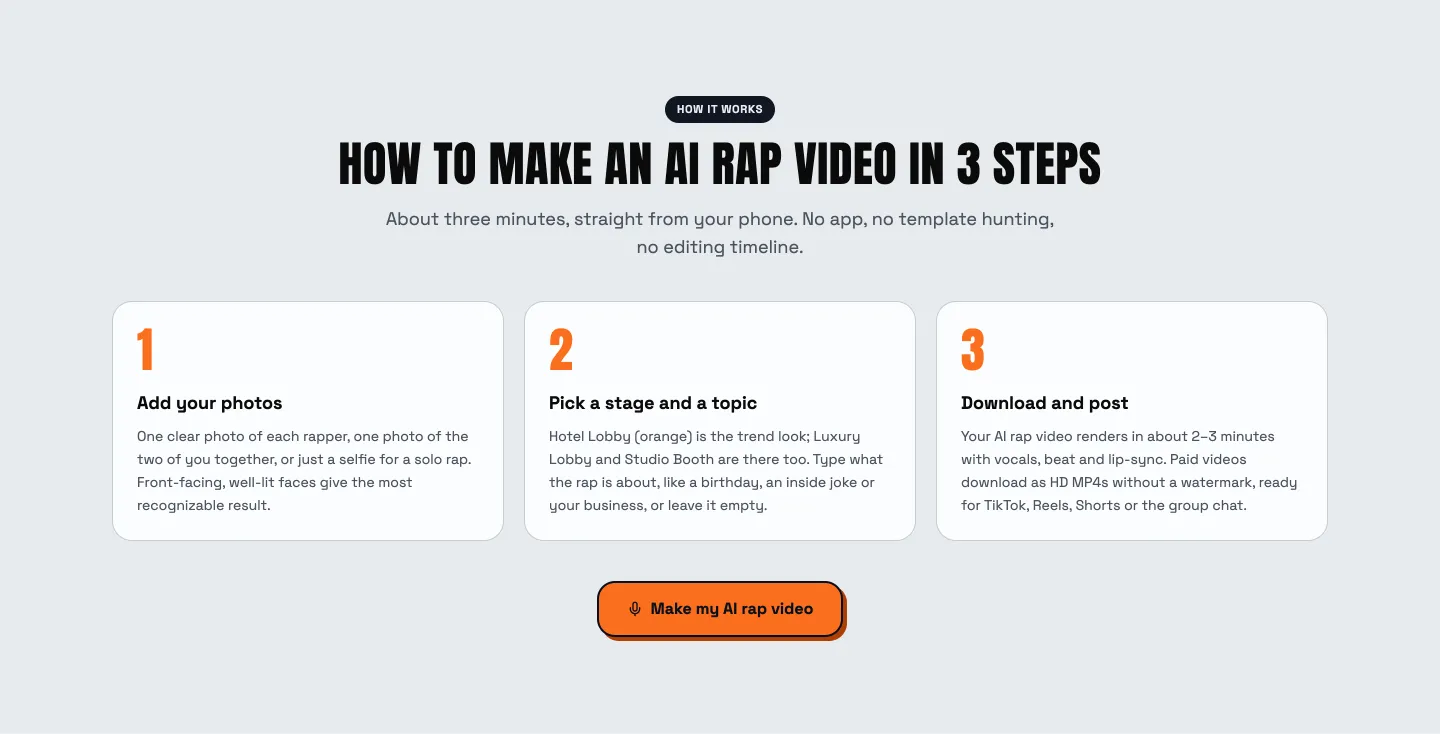
The site describes three steps, and the interface really is that short.
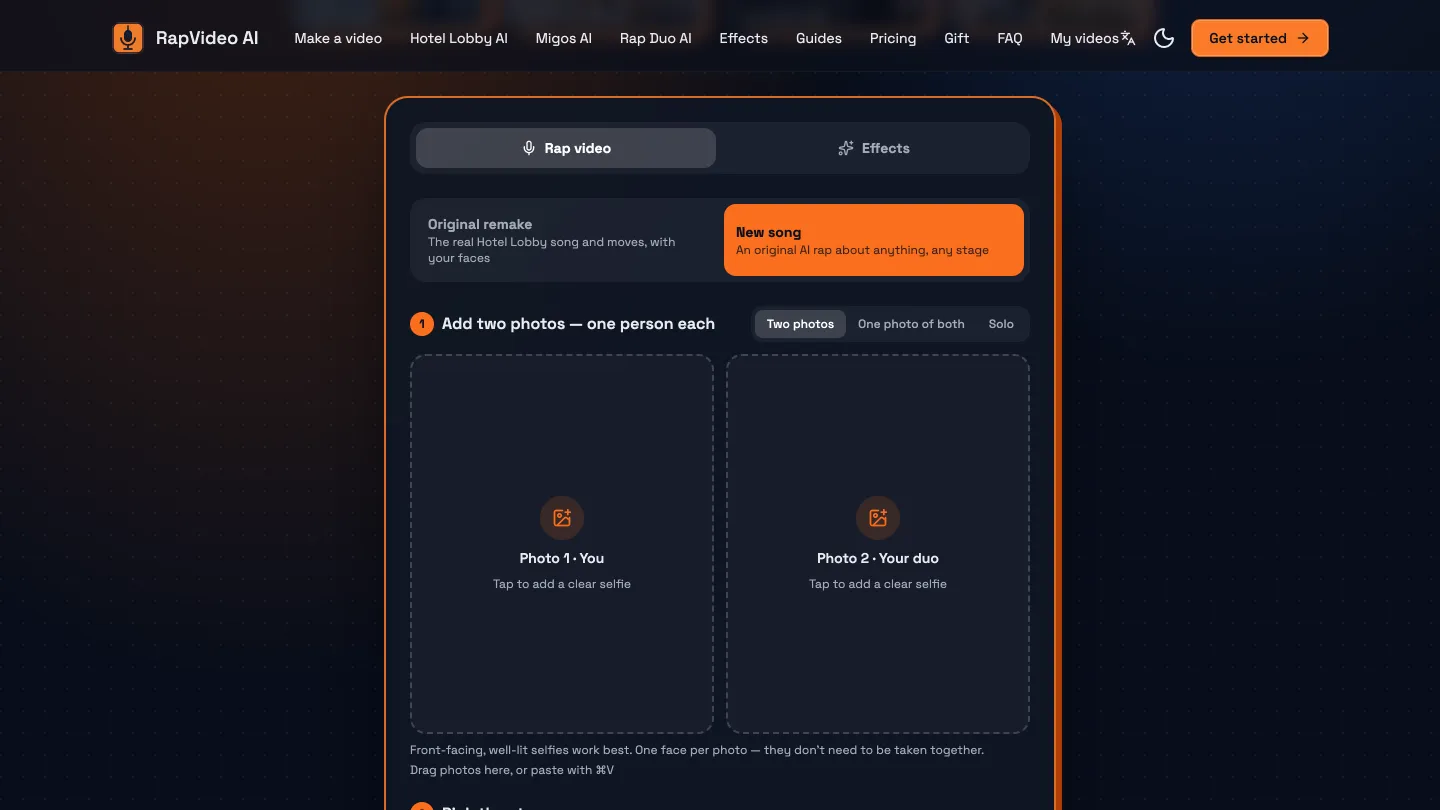
Step 1: add photos. The generator offers three input modes:
- Two photos: one person per photo. They don't need to be taken together, or even in the same city.
- One photo of both: two people in a single photo, good for couples and family.
- Solo: one selfie for a solo rap.
The on-screen tips are specific: front-facing, evenly lit, one face per photo. Those three rules largely decide whether the faces in the video look like the real people, so it's worth picking photos with them in mind.
Step 2: pick a stage and a topic. There are three stages right now: the orange Hotel Lobby (the look of the trend), Luxury Lobby and Studio Booth. The topic box sets what the song is about.
There is also a mode switch:
- New song: writes a new song from your topic, on any stage.
- Original remake: keeps the trend's original song and moves, with your faces swapped in.
Pick the remake to ride the trend; pick a new song for anything with real content, like a birthday wish or an anniversary.
Step 3: download and post. Videos are vertical and ready for TikTok, Instagram Reels and YouTube Shorts, with square and widescreen options too. Paid videos download as HD MP4s without a watermark.
Nothing to install: the whole flow works in a phone browser, and there's no editing timeline to learn.
3. Beyond rap: the other formats
The homepage packages the same generator into a few common scenarios:
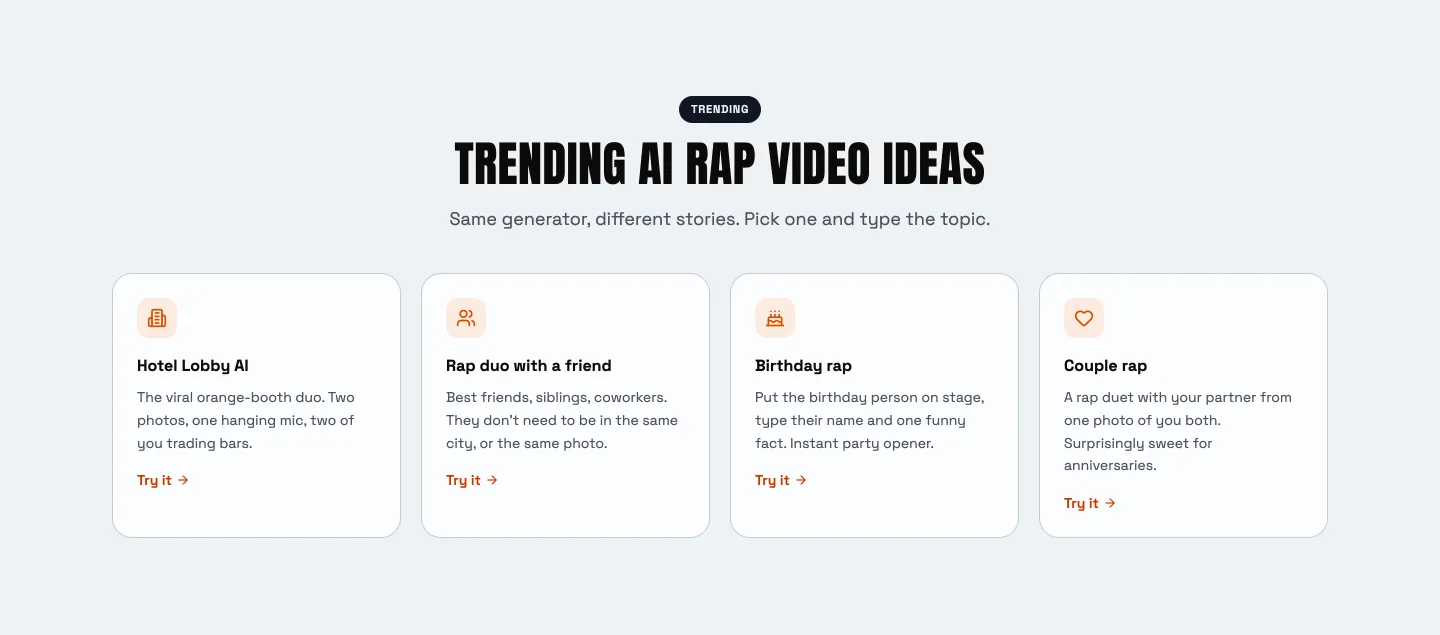
- Hotel Lobby AI: two photos, one hanging mic, a duet.
- Rap duo with a friend: best friends, siblings, coworkers, even if they're not in the same place.
- Birthday rap: put the birthday person on stage with their name and one funny fact, as a party opener.
- Couple rap: a duet from one photo of you both, for anniversaries.
A separate Effects section makes cinematic shorts without the rap, also starting from photos:
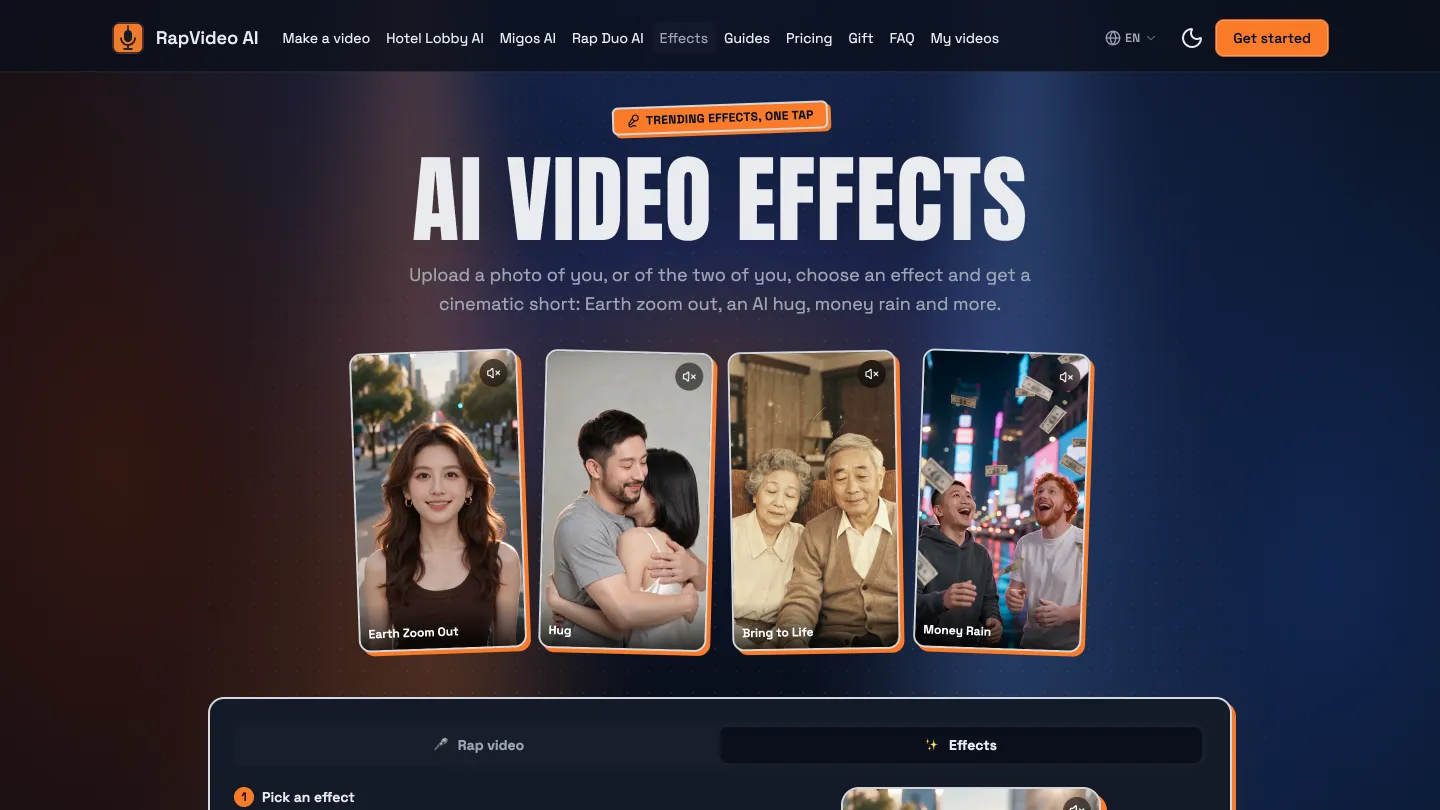
The current list includes Earth Zoom Out (pulling back from the person all the way to the planet), Hug (two people embracing), Bring to Life (animating people in an old photo) and Money Rain. All of these are templates that keep resurfacing on short-video platforms. Giving them their own entry point stretches the same photos from "make a song" to "make a moment".
4. Pricing
RapVideo AI is paid per video, settled in credits, and the pricing page has no free tier. If you want to judge quality first, the sample videos on the homepage are what you have.
There are two ways to pay (checked on the official pricing page on 2026-10-14; the Pricing page is the source of truth):
| Option | Best for | Notes |
|---|---|---|
| One-time credit packs | One or two videos now and then | A single video starts at $9.99, and larger packs lower the per-video price; pack credits never expire |
| Monthly plans | Regular, higher-volume use | Credits refresh monthly at a noticeably lower per-video cost; unused credits expire at the end of the month; cancel anytime |
Two policies are worth calling out:
- Failed renders are free. Bad generations are common in AI video, and this lowers the cost of trying.
- Credits can become a gift link. You can split purchased credits among friends, and each one claims a share and makes their own video. As a birthday present, that's more fun than sending a finished clip.
Higher quality tiers, resolutions or lengths use more credits; the multipliers are listed on the pricing page.
5. Who it's for, and who it isn't
A good fit for:
- People who want to join rap trends like Hotel Lobby but can't write lyrics or edit;
- Short-video accounts that need quick on-camera clips for intros or engagement posts;
- Anyone looking for a personalized birthday or anniversary gift.
Less of a fit for:
- Creators who want full control over camera, motion and mixing. RapVideo AI's value is a whole song in one go; the controls are mostly the photos, the stage and the topic. For fine control, general video tools like Runway are the better choice.
- People who want to try it for free first. Watch the homepage samples, then decide whether a single video is worth it.
6. Before you use it
- Use only photos of yourself or people who have agreed. This is the baseline for any face-swap or lip-sync tool. Ask before you put someone else's face in a video.
- Photo quality drives video quality. Front-facing, evenly lit, one person per photo. Following the on-screen tips is cheaper than regenerating.
- Read the lyrics before posting. AI-written lyrics occasionally land wrong, especially for a public account or a gift.
- Check current prices on the official site. This article reflects the pricing structure in October 2026, which may change.
Bottom line
RapVideo AI is a narrow tool. It does one thing, photos to rap video (plus a few trending effects), but it covers the whole chain: lyrics, music, vocals, lip sync and the final render. For people who don't want to learn editing and just want to turn a joke or a gesture into a video, that narrowness is the point.
It is also listed in this site's tool library: the RapVideo AI tool page, with similar AI video tools under AI tools for comparison (both pages are in Chinese).